


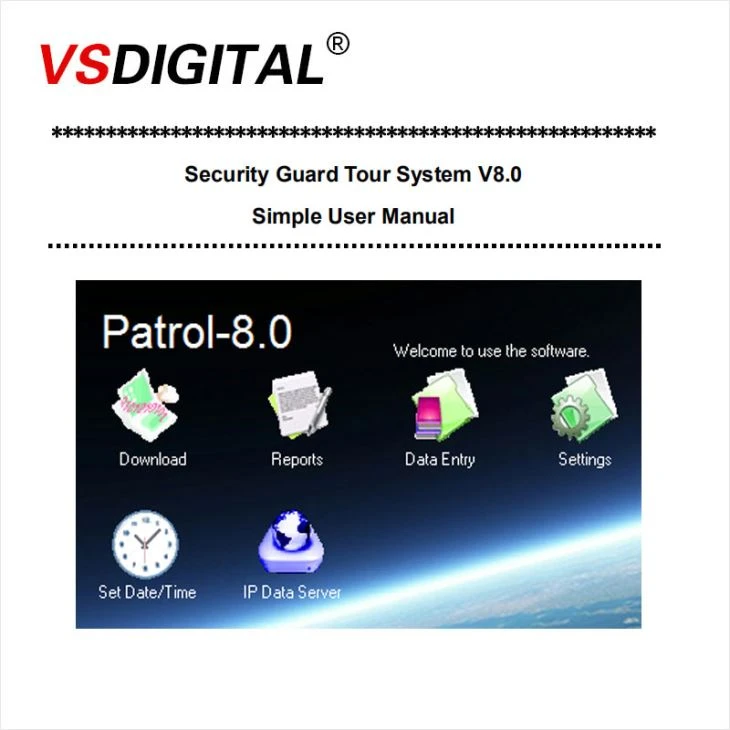
v8.0 multi-language security guard patrol tracking system
1. Features
1.1. The User Interface is succinct and clear, all functions on the software’s UI, do not need to glance through the complex menu.
1.2. Automated analysis data, after read record, produces each kind of report automatically.
1.3. The report function is formidable, succinct, the convenient report form inquiry, the report is rich, the style is fresh, and the report can save as Excel, PDF and text, or JPG and BMP image document.
1.4. The internationalization multi-language design, has the simplified Chinese, traditional
Chinese and English now, other languages will increase one after another.
1.5. The function transforms freely, Suits the different user the application demand, this software
may divide into Basic edition, Professional edition and advanced edition, the user may
according to own need to choose the different edition, various editions difference is as follows:
1.5.1. Basic edition: Only need register the personnel, the checkpoint, the event then to use.
1.5.2. After register the personnel, the checkpoint, the event, every day increases the patrol plan.
1.5.3. The patrol plan is rich, you can set patrol plan by day, by week, by month and Temporary. In the different site may include the same checkpoint.
2. Quick Guide
First uses this software, does not have the password, the click 'OK', then logging in.
When first run the software, the software's language by operating system.
2.1. Choice the Reader and the communication port
Clicks on the main UI Parameter’s icon, then display the following window, then click the
choice model button, According to graph to choice Reader, Then connects Reader or
Downloader to the computer, click Scanning serial port button, the software can automatic
detection communication port, after the examination completes, click OK to exit parameter
setting. When first run the software, the software prompts automatically to choice Reader.

2.2. Data Entry:
The management the sites, the checkpoints, the patrol persons, the events and set patrol
plans ( In Professional edition and advanced edition has this function).

2.2.1. Sites:
Input patrol sites, the software can manage many patrol sites. Click ‘New‘button, then
filling in the site’s information, click 'Save' button to save.
Use time: to patrol this site uses longest time, the patrol process surpasses this
scheduled time, the time is unqualified. This function only corresponds according to the Day’s plan, other plan type is invalid.
2.2.2. Checkpoints:
Including the electronic tag serial number (also said that card number, are composed of 8
hexadecimal digit), place name and description information. the system has the batch read
function, the method to clear the Reader, with Reader read the electronic tag according to
order, click “Batch reading” button, filled in the place name. You can Adjust the order through <Up> or <Down> button.

2.3. Persons:
Each personnel provide the personnel card. If does not need to differentiate the
personnel to be not to input. The operating procedure is similar with the checkpoint, you can
also use the way which the batch read.
2.2.4. Events:
To record patrol process's event, may not set. This system supports the multi-event; a
place may input many events. The operating procedure is similar with the checkpoint, you can
also use the way which the batch read.
2.2.5. Patrol plan:
In the Professional edition and the Advanced edition has this function. In the professional
edition can only set the plan by day, in the Advanced edition may also set plan by month, by
week and Temporary.
If two sites planned times are same, may use “Reference” function to copy another site's
plan.
After planned, the plan is effective, and run automatically by the software.

3. Read Patrol Records on security guard patrol tracking system
After the patrol, will read the records from Reader to the software’s database, after the read completes, the software automated analysis data, and produces the report.
4. Reports

Row Data Report: reads the card original record.
Site: Each time patrol this site's situation.
Incident: The events Occurred in the patrol process.
Exception: Checkpoints in each patrol time have not been inspected.
Personnel Evaluation: Counts in period of time according to the personnel the
qualified rate.
Site Evaluation: Counts in period of time according to the site the qualified rate.
Plan Evaluation:According to patrol plan check patrol situation.
Plan Statistics: Counts in period of time according to the plan the qualified rate.
The reports may print, and also can save as Excel, PDF and text, or JPG and BMP image
document.
Hot Tags: security guard patrol, China, manufacturers, suppliers, customized, wholesale, OEM, ODM, developer